How to Reduce Word Count: 15 Practical Tips for Concise Writing
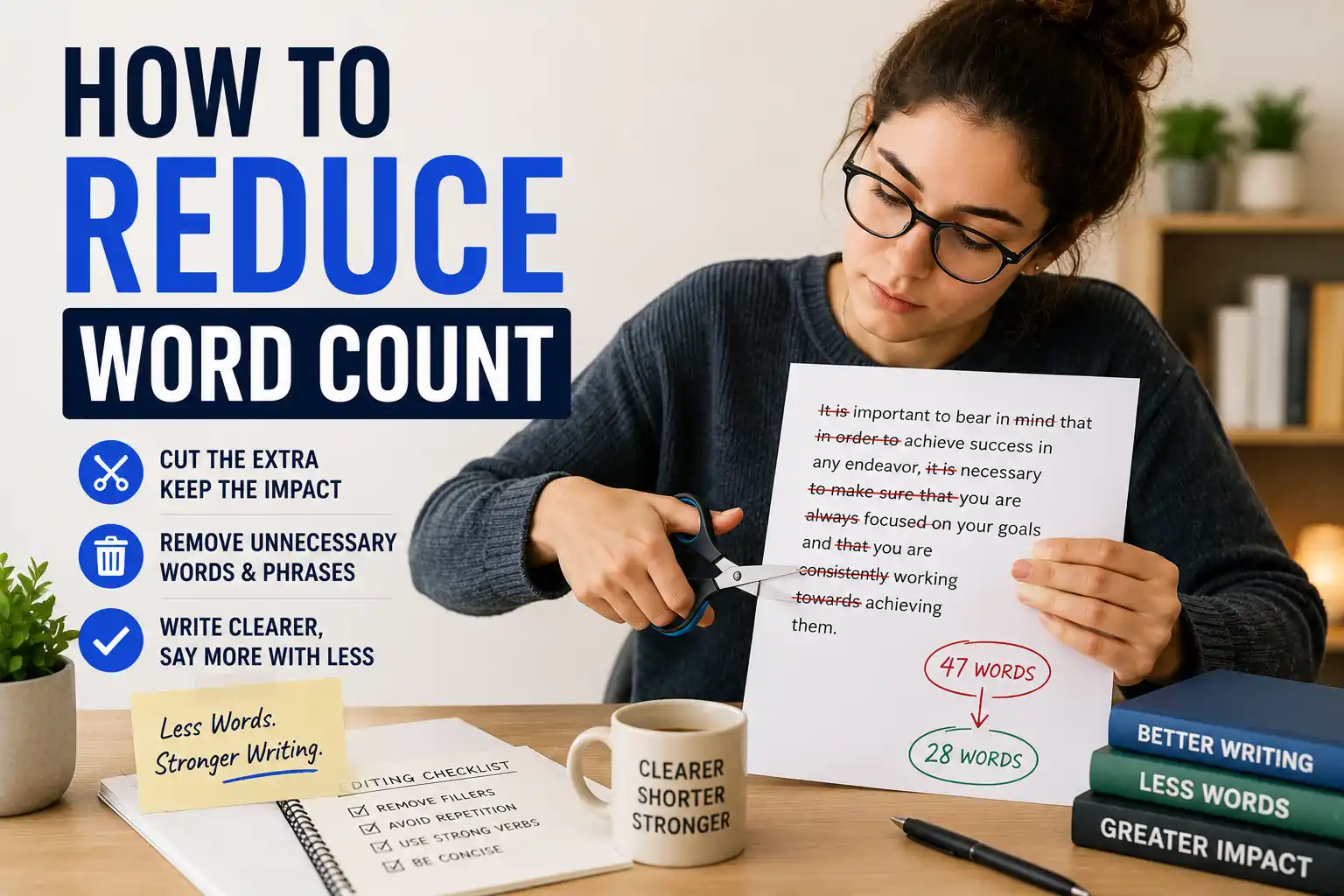
You've written your draft. You're happy with the content. But there's one problem: it's too long. The word limit is looming, and you need to cut hundreds of words without losing your key messages.
I've been there more times than I can count. And here's what I've learned: cutting words isn't about removing good content. It's about finding tighter ways to say the same thing.
This guide shares 15 practical techniques to reduce word count while keeping your writing clear, engaging, and impactful. No fluff. Just actionable tips you can use right now.
Quick Wins: Cut Words Instantly
These simple fixes alone can reduce a 1,000-word article by 50-100 words in minutes.
1 Why Reducing Word Count Matters
Before we dive into the techniques, let's understand why concise writing is valuable:
Respects Reader's Time
Readers appreciate direct, efficient writing. Every unnecessary word is a small barrier between your message and your audience.
Improves SEO
Google prioritizes content that delivers value efficiently. Tight writing keeps readers engaged and on your page longer.
Strengthens Your Message
Removing weak words makes your strong words stand out. Shorter sentences often have more impact.
Meets Requirements
Whether it's a college essay, journal submission, or client deliverable, hitting the word limit matters.
2 15 Proven Techniques to Reduce Word Count
Remove Adverbs
Words ending in "ly" (very, really, extremely, absolutely) rarely add value. Cut them.
✅ After: "The movie was good and entertaining."
Eliminate Redundant Pairs
Common redundancies: "first and foremost," "each and every," "true facts."
✅ After: "He was the foremost expert in his field."
Shorten Phrases
"Due to the fact that" → "because"
"In order to" → "to"
"At this point in time" → "now"
✅ After: "Because it was late, we left."
Cut "That" Whenever Possible
Often, "that" can be removed without changing meaning.
✅ After: "She said she would come to the party on Friday."
Use Active Voice
Passive voice adds unnecessary words. Active voice is shorter and stronger.
✅ After: "The committee made the decision."
Remove Unnecessary "I" Statements
"I think," "I believe," "In my opinion" are implied and can be cut.
✅ After: "This approach is better for the team."
Combine Short Sentences
Two short, choppy sentences can often become one smooth sentence.
✅ After: "I finished the Friday-due report Thursday night."
Replace Weak Verbs with Strong Ones
"Give assistance to" → "assist"
"Make a decision" → "decide"
"Conduct an analysis" → "analyze"
✅ After: "We need to decide about the budget."
Cut Qualifiers and Intensifiers
"Very," "really," "extremely," "quite," "rather," "somewhat" rarely add meaning.
✅ After: "The results were positive and encouraging."
Remove Redundant Modifiers
"Completely destroy," "absolutely necessary," "totally unique" — destroy already means completely.
✅ After: "The fire destroyed the building."
Use Contractions
"Do not" → "don't"
"Will not" → "won't"
"It is" → "it's"
✅ After: "They won't attend the meeting."
Cut Introductory Phrases
"It is important to note that," "There are several reasons why," "In this section, we will discuss"
✅ After: "Grammar matters in professional writing."
Replace "There is/are" with Strong Verbs
"There are many reasons" → "Many reasons exist"
✅ After: "Three main factors influence the outcome."
Delete Weak Adjectives
Remove adjectives that don't add specific, useful information.
✅ After: "She wore a blue dress to the formal event."
Find One Strong Word Instead of Several Weak Ones
Instead of "She walked very quickly" → "She rushed" or "She dashed"
✅ After: "He shouted."
Track Your Word Count as You Edit
Our free word counter helps you monitor your progress as you cut words. Paste your text and see your word count change in real-time.
Try the Word Counter3 Before and After: Real Examples
Let's see these techniques in action with real before-and-after examples:
Example 1: Academic Sentence
Example 2: Business Email
Example 3: Blog Introduction
4 A Step-by-Step Editing Process
Don't try to apply all techniques at once. Here's a systematic approach:
The 4-Pass Editing Method
Pass 1: Structure
✓ Remove entire paragraphs that aren't essential
✓ Combine sections that cover similar points
✓ Move tangential points to separate articles
Pass 2: Sentences
✓ Remove redundant phrases and unnecessary modifiers
✓ Replace weak verbs with stronger ones
✓ Convert passive voice to active voice
Pass 3: Words
✓ Apply the 15 techniques from this guide
✓ Focus on "that," "very," "really," "quite"
✓ Shorten long prepositional phrases
Pass 4: Polish
✓ Read aloud to catch awkward phrasing
✓ Ensure meaning hasn't changed
✓ Verify readability and flow
Pro Tip: Read Backward
Start from the last sentence and read each sentence individually, moving backward through your document. This removes context, making it easier to spot unnecessary words and weak constructions you might otherwise gloss over.
5 Common Mistakes to Avoid
Cutting the Wrong Things
❌ Removing examples that clarify complex ideas
❌ Cutting transition words that hurt readability
❌ Eliminating necessary context
❌ Shortening words to the point of ambiguity
❌ Removing your unique voice and personality
What to Keep
✅ Key examples and evidence
✅ Clear transitions between ideas
✅ Your authentic voice
✅ Essential context for understanding
✅ Strong, vivid language that engages readers
The Golden Rule of Editing
Cut words, not meaning. If removing a word changes your message or confuses your reader, keep it. The goal is concise writing, not minimal writing. Every cut should strengthen your communication, not weaken it.
6 Words You Can Almost Always Cut
Common Fillers
• very
• really
• quite
• rather
• somewhat
• basically
• actually
• literally
Redundant Phrases
• each and every
• first and foremost
• in my opinion
• I think
• it seems that
• the reason why
• due to the fact
Weak Constructions
• there is/are
• it is/was
• in order to
• for the purpose of
• with regard to
• in the event that
Unnecessary "That"
Test if the sentence works without "that." Often, it does. Examples:
"She said that she'd come" → "She said she'd come"
"I believe that this is right" → "I believe this is right"
7 Tools That Help You Write Concisely
Word Counter
See your word count change in real-time as you edit. Essential for hitting specific limits.
Grammar Checker
Identifies wordy phrases, passive voice, and unnecessary words automatically.
Paraphrasing Tool
Discover shorter ways to express the same idea with different phrasing.
Read Aloud Feature
Hearing your words helps identify repetitive phrases and awkward constructions.
The Bottom Line
Reducing word count isn't about destroying your hard work. It's about making every word earn its place. Good writing is rewriting, and tight writing is almost always better writing.
Remember: "The most valuable of all talents is never using two words when one will do." — Thomas Jefferson
Start with the quick wins from this guide. Then go deeper with the 15 techniques. Use the 4-pass editing method. And always, always read your work aloud before calling it done.
Your readers will thank you. And so will your word count.